
Inventory visibility
Track stock, reorder levels, warehouse availability, and product movement before shortages impact sales.
Total stock142,420 ↑ 12%Across all warehouses · Sample
Manage products, purchases, suppliers, orders, and stock visibility in one place. Sanjal helps growing businesses move faster, reduce manual work, and make better decisions every day.
Trusted by distributors. Built for what’s next.
Smarter distribution.
Stronger tomorrow.
vs last month
Items need attention
Pending & accepted
Active suppliers
Why businesses choose Sanjal
From stock visibility to supplier coordination, Sanjal helps distributors, wholesalers, and retailers replace scattered manual work with one reliable workflow.
Track stock, reorder levels, warehouse availability, and product movement before shortages impact sales.
Keep supplier details, linked products, purchases, and payable balances organised in one place.
Connect purchase orders, goods receiving, and inventory updates without gaps or duplicate work.
Review sales, purchases, expenses, and profit from one clear operating view.
How it works
Sanjal keeps suppliers, purchasing, stock movement, sales, and reporting connected,
so every step updates the next one automatically.
Keep vendor details, products, and contacts ready for your next purchase.
Create a purchase, link the supplier, and receive goods directly into inventory.
PO-2024-001 · Sample
Track customer orders and stock movement while fulfilment stays connected.
SO-2024-318 · Sample
Use reports, low-stock alerts, and payables to decide what needs attention next.
Your daily workspace
The core workflows of Sanjal are connected so you can manage stock, purchases, sales,
and reporting from one shared system.
Know what you have, where it is, and what needs attention.
Keep replenishment, suppliers, and receiving organised.
Connect orders and customer relationships to daily operations.
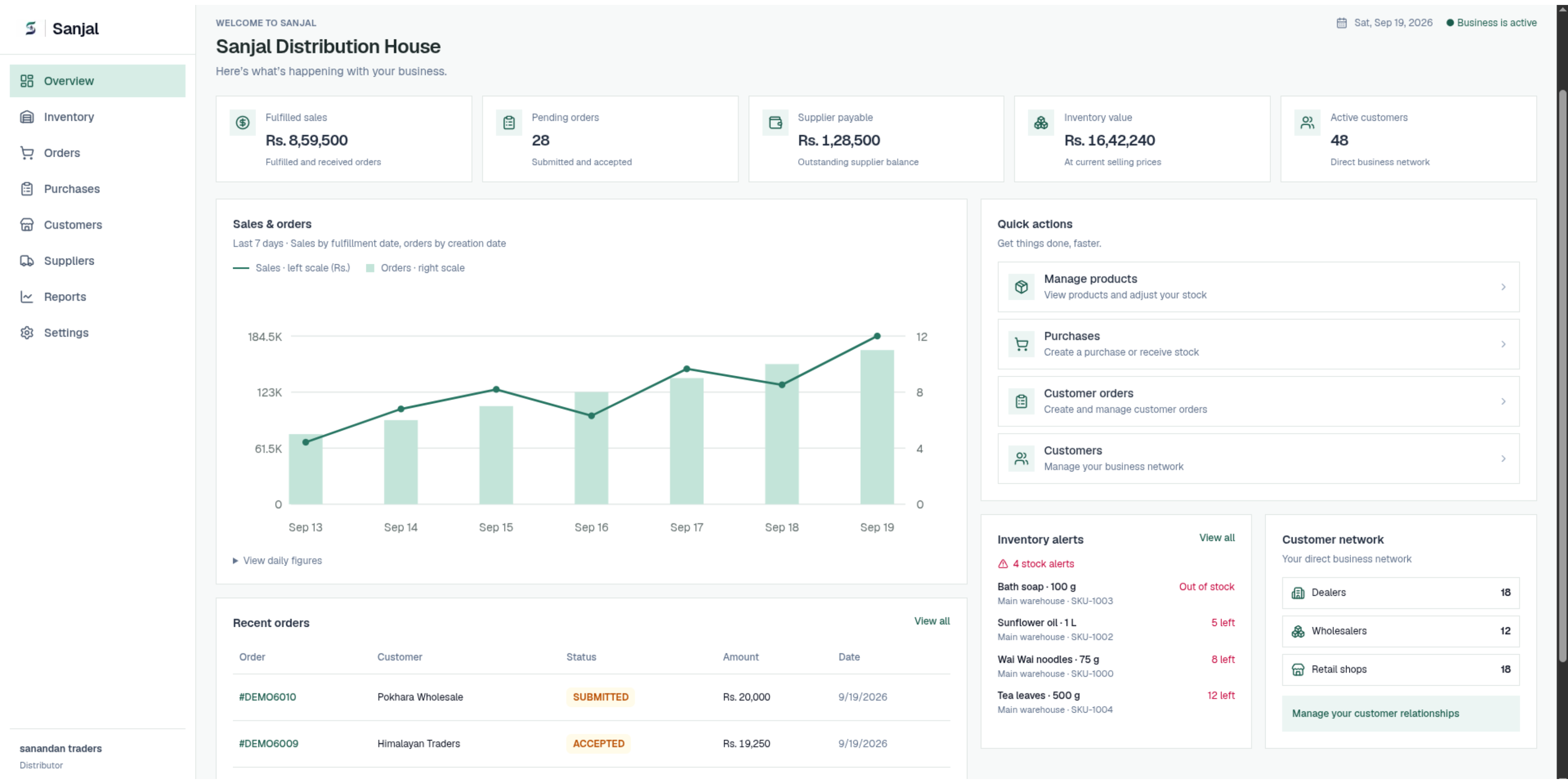
Recent orders
Make decisions with a clearer picture of your business.
↑ 12% vs last month
One system. A more connected business.
Illustrative workspace previews · Sample data
Start simply
Create your workspace, add products, connect suppliers, and invite your team when you’re ready. Start with the basics and grow into a connected workflow over time.
Get up and running in a few simple steps.
Start with the essentials. You can always add more later.
A few useful answers
Quick answers to common questions about using Sanjal. Explore the guide or visit our contact section if you need more information.
Find guidance to help you get the most out of Sanjal.
Yes! You can reuse existing product information from Sanjal’s catalog when creating purchase orders or adding items to your inventory. This helps you save time, keep data consistent, and avoid duplicate entries. Your business manages its own stock and selling prices.
Yes. Business admins can create users or send invitations and assign roles. Each team member gets access to the work their role allows. User limits depend on your business subscription plan.
They use separate workflows. Business orders support buyer and seller fulfillment, while shop sales are for walk-in or saved customers. This keeps network orders and everyday retail sales clearly separated.
Yes. Report summaries can be exported as Excel, CSV, or JSON. Choose a daily, weekly, or monthly period on the reporting page to review the information you need.
Open Suppliers in your business dashboard to manage network suppliers and external vendors. You can link products to vendors and track purchases, payments, and outstanding balances in one place.
Create an account, set up your business and warehouse, then follow the dashboard setup guide. Start by adding a product and a supplier, receive your first purchase, and invite your team when you’re ready.
Pricing
Get started and stay organised
For growing businesses
For established businesses
The same prices for every business type.
Start solo or choose a plan for your team.
Learn the essentials in our product guide.
Tools for each stage of your business.
Need help choosing?
Explore the plans or tell us about your business in the contact and demo section.
Contact & book a demo
Have a question or want to see Sanjal in action? Tell us about your business and what you’d like to simplify.
Explore inventory, purchasing, suppliers, and orders in one walkthrough.
Ask about setup, business roles, or the features your team needs.
Prefer to explore first? Read the guide